Employee scheduling without the Sunday-night spreadsheet
Build the week from templates, fill gaps with open shifts, approve swaps from your phone and publish to everyone at once. Labour cost updates as you plan, and overtime gets flagged before it happens.
No credit card required. Free plan for up to 10 people.
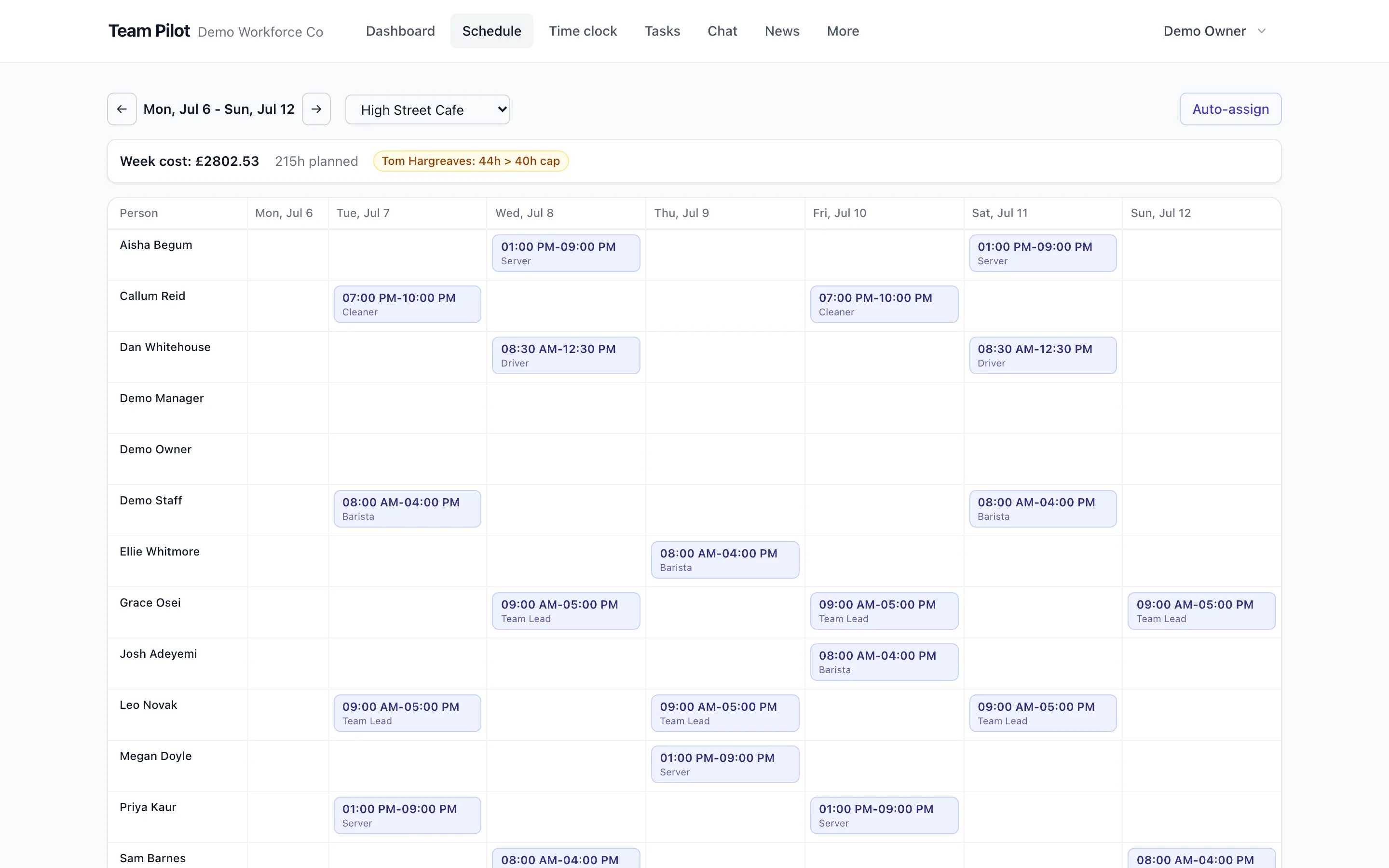
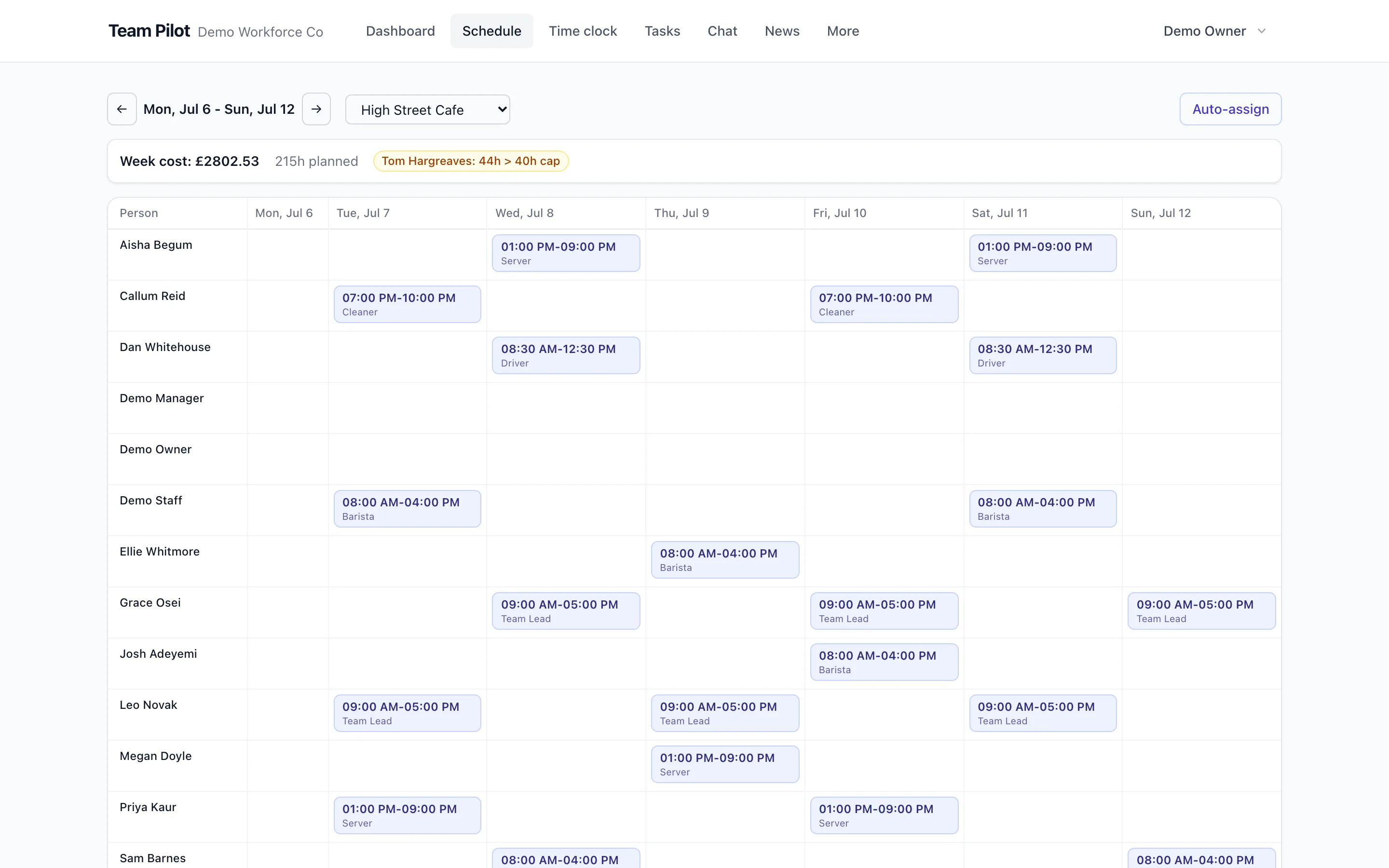
Plan the week in minutes, not hours
Start from last week, a saved template or a blank grid. Drag shifts between people and days, copy patterns across the week and let conflicts surface themselves: double-bookings, missing breaks and availability clashes are flagged as you type.
See labour cost before you publish
Every draft shows its live cost against your budget as you build it, with overtime highlighted per person. Expensive weeks stop being a surprise you discover in payroll.
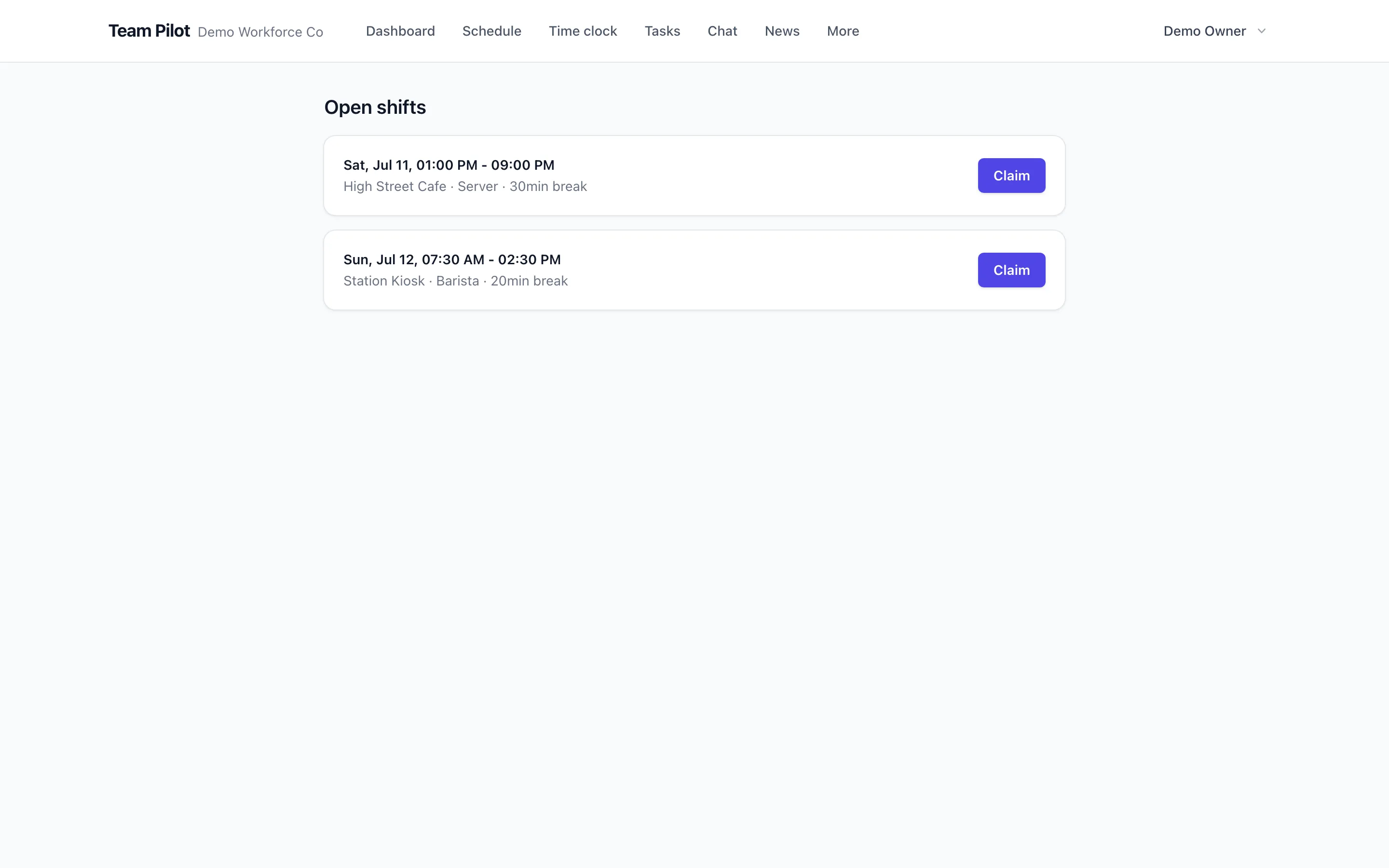
Let the team fill the gaps
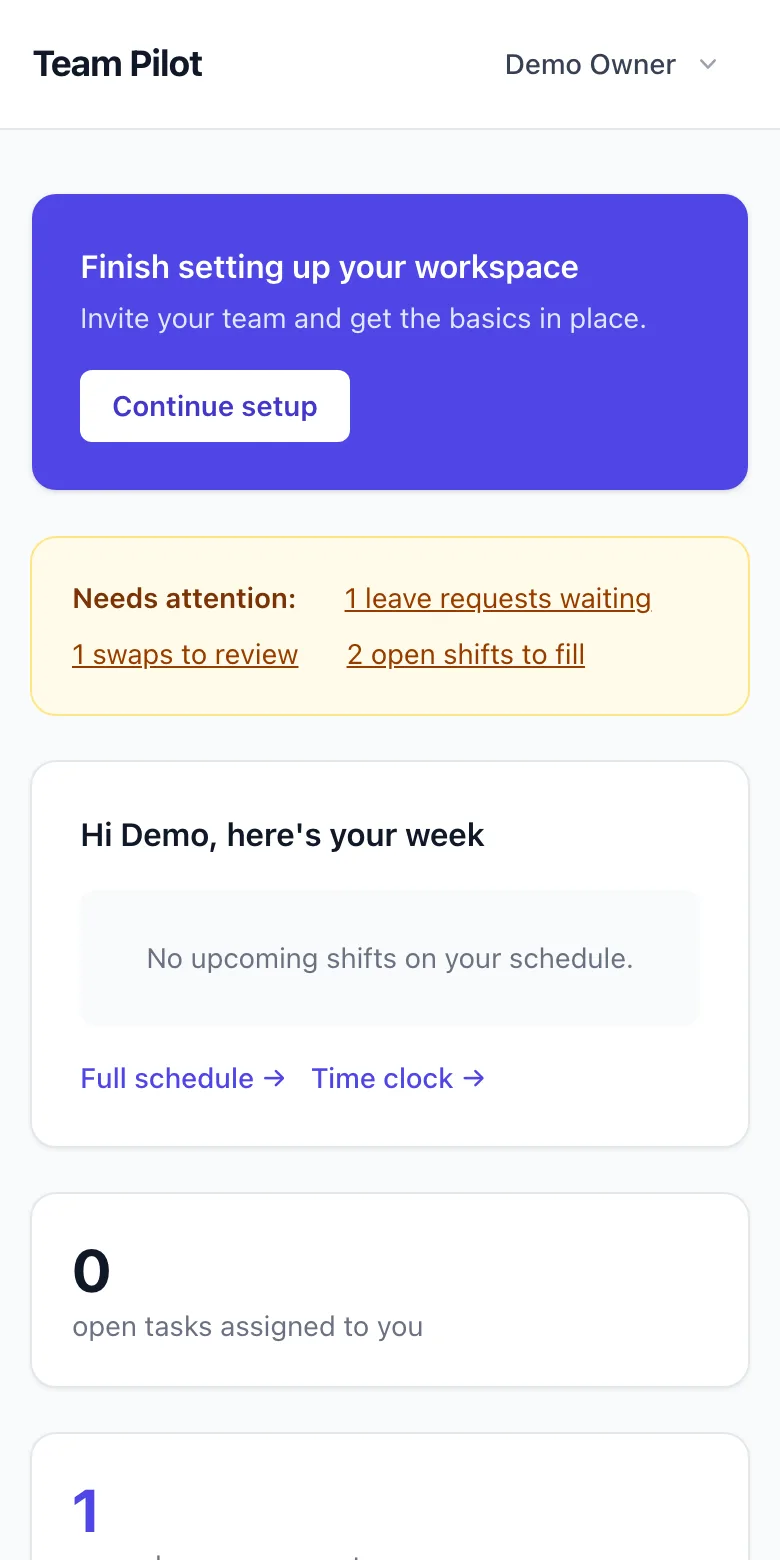
Publish uncovered hours as open shifts and let eligible staff claim them, with your approval or automatically by rule. Swaps work the same way: staff arrange cover between themselves, you keep the final say.
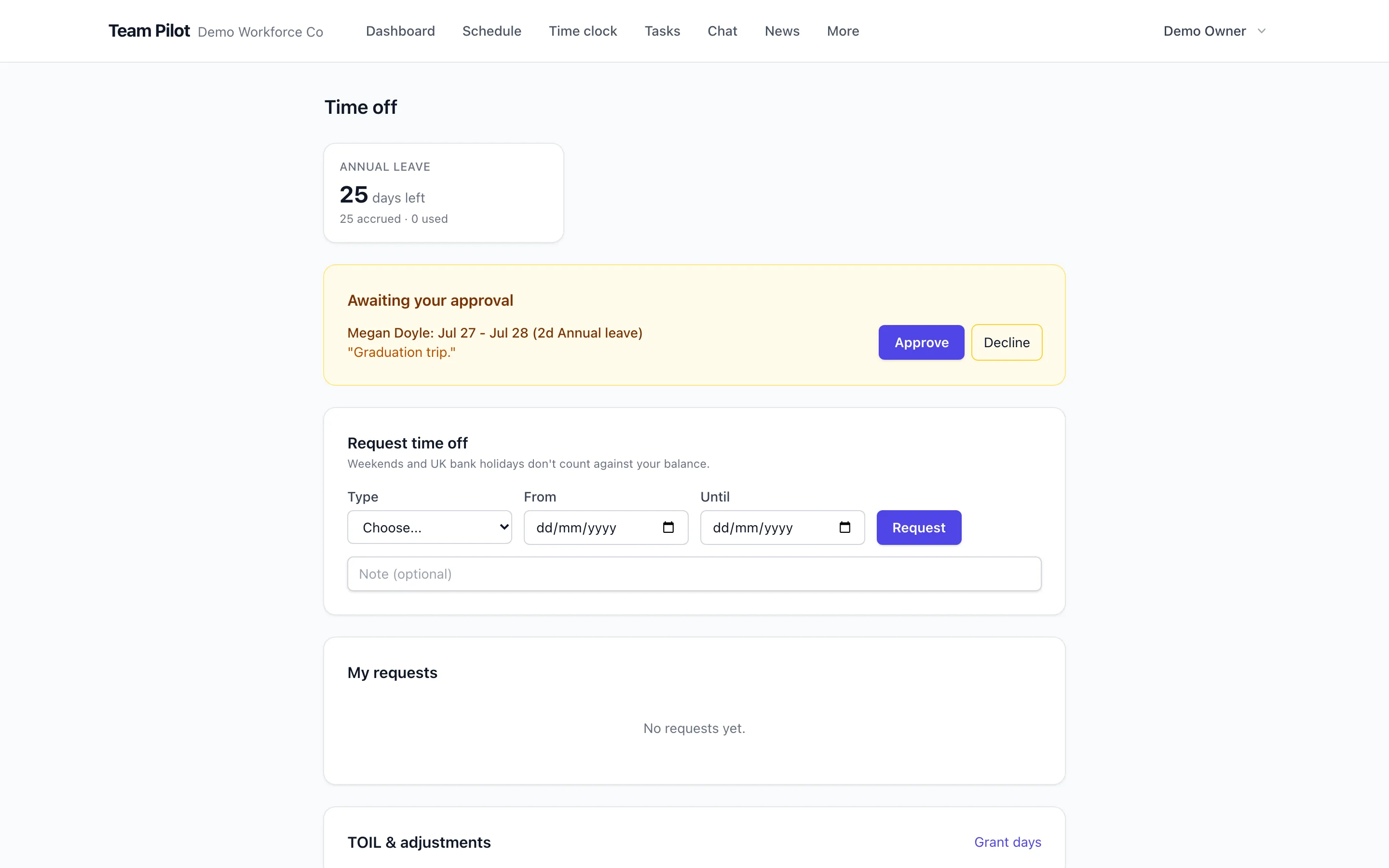
Availability and time off, built in
Staff set recurring availability and request leave in the same place the rota is built, so you never schedule someone who cannot work. Approved leave blocks the grid automatically.
Publish once, reach everyone
One tap notifies everyone affected on their phones, including staff who never installed anything, via the web app and optional SMS. Changes after publishing notify only the people they touch.
Small team? It's free. Properly free.
Up to 10 people at one location, with rotas, time clock, timesheets, tasks and chat included. No time limit, no card, and no nagging to upgrade until you actually grow.
Works together with
Questions about scheduling
- Can staff see their rota on their phones?
- Yes. The app is an installable web app, so staff open their rota on any phone without an app store download. Shift notifications arrive by push, and SMS is available for staff who want nothing installed.
- Can employees swap shifts themselves?
- Yes, within the rules you set. Staff propose a swap with an eligible colleague, and it either applies automatically or waits for a manager approval, depending on your policy.
- Does it handle multiple locations?
- Yes. Shifts belong to locations, staff can be assigned to one or several, and the rota can be viewed and filtered per location. Plan limits on locations are shown on the pricing page.
- Can I see the cost of a rota before publishing it?
- Yes. Each draft shows scheduled hours and labour cost per day and per week, using the wage rates on each profile, and flags where a shift would push someone into overtime.
- What happens when someone is on holiday?
- Approved time off appears in the rota grid and blocks scheduling for those days. Requests and approvals happen in the same product, so the rota is never built against stale information.
- Is there a free version?
- Yes. The Free plan covers up to 10 users at one location, with no time limit and no card. Paid plans add more people, locations and advanced features.
- Can I copy last week's rota?
- Yes. Copy any previous week or save recurring patterns as templates, then adjust and publish. Most weeks become a five-minute edit rather than a rebuild.
- How do open shifts work?
- You publish an unassigned shift with its role and location. Eligible staff get notified and can claim it. You choose whether claims are first-come-first-served or need approval.
See it with your own team
Set up takes minutes: add your people, build a week and publish. Free for 14 days on every paid plan, free forever for small teams.
No credit card required.